
A Temp And Humidity Monitor helps turn invisible indoor conditions into clear, usable information. Temperature affects comfort, equipment performance, and energy demand. Humidity influences mould growth, condensation, static electricity, and material damage. You may notice a fogged window before noticing excessive moisture. That delay can become expensive.
The U.S. Environmental Protection Agency reports that indoor pollutant levels can be two to five times higher than outdoor levels, and sometimes much higher. Humidity often contributes to that problem by supporting biological growth and trapping discomfort indoors. ASHRAE Standard 55 also treats temperature and humidity as important factors in thermal comfort. Indoor-environment expert Jeffrey Siegel has emphasized, “Indoor air quality is a health issue, not just a comfort issue.” That perspective changes how a monitor should be used. It is not merely a digital thermometer.
Good monitoring creates a practical record. A sensor near a bedroom can reveal overnight humidity spikes. Another in a storage room may expose slow temperature changes that damage paper, wood, or electronics. The data can support ventilation adjustments, dehumidifier settings, and maintenance decisions. It cannot solve every building problem.
That limitation matters.
Readings can be wrong when sensors sit beside windows, heaters, vents, or damp walls. Calibration also requires attention. The World Health Organization links damp indoor environments with respiratory risks, but a monitor does not diagnose illness. It provides evidence for better decisions. For homeowners, facility managers, and businesses, choosing a reliable Temp And Humidity Monitor means measuring consistently, interpreting trends carefully, and responding before small changes become visible damage.
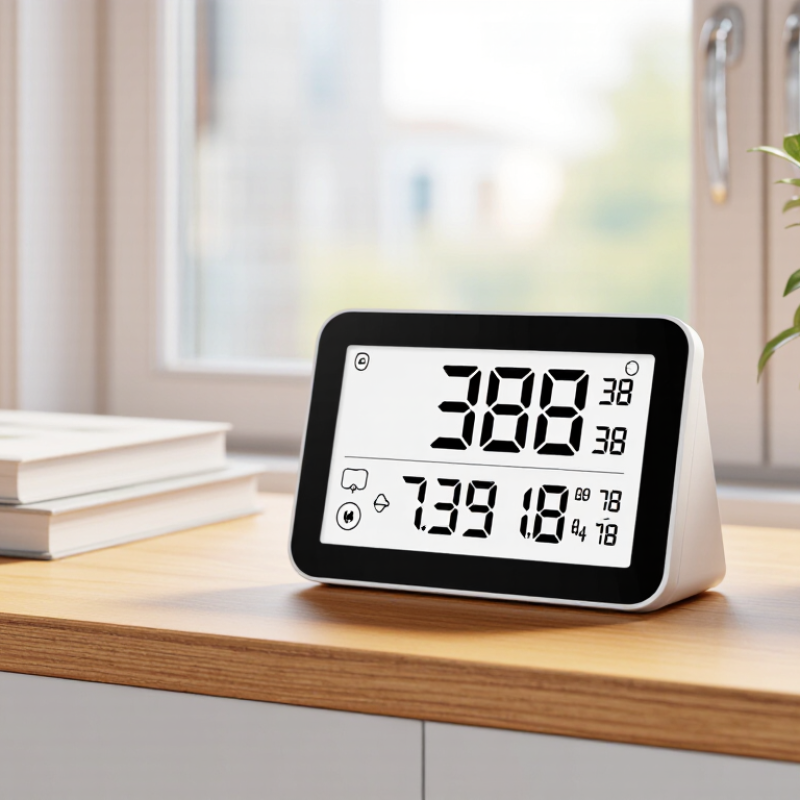
A temperature and humidity monitor is a device that measures two conditions in the surrounding air. Temperature shows how warm or cold a space is. Humidity shows the amount of moisture in the air, usually as relative humidity. Many monitors display both readings on a small screen. Some also record changes over time or warn users when levels become unsuitable.
Inside the unit, sensors detect heat and water vapor. The device then converts those signals into readable numbers. Placement affects accuracy. Keep it away from windows, heaters, vents, and direct sunlight. A shelf at breathing height often gives a more useful reading. Small changes matter. For example, a bedroom may feel comfortable at 20°C, but high humidity can make the air feel heavy and encourage condensation on cold glass.
In practical use, the monitor helps people notice patterns instead of guessing. I once trusted a room’s dry feeling, but the readings showed high humidity after several days of rain. That assumption was wrong. Regular checks can guide ventilation, storage decisions, and indoor comfort adjustments. However, no sensor is perfect. Dust, aging, and poor calibration can affect results, so compare unusual readings with another reliable instrument. Allow the monitor to sit in one location for several minutes before judging the measurement. A single number can mislead. Trends usually tell a clearer story.
Temperature and humidity shape indoor air more than many people realize. Warm, damp rooms can encourage mold growth, musty odors, and dust mites. The U.S. Environmental Protection Agency reports that indoor pollutant levels can be two to five times higher than outdoor levels. Sometimes, they are far higher. Small changes matter. A room may feel comfortable while moisture quietly collects around windows, behind furniture, or beneath carpets.
The World Health Organization’s Housing and Health Guidelines also identify low indoor temperatures as a health concern, with 18°C often used as a minimum reference for healthy adults during cold seasons. However, comfort differs for children, older adults, and people with health conditions. One number cannot fit every household.
A monitor shows patterns that a quick glance misses. Place it near living areas, bedrooms, or a suspected damp wall, but avoid direct sunlight and heating vents. Check its reading against another calibrated device when possible. It cannot measure every pollutant. That is an important limitation.
Still, daily readings can reveal a humid night, a cold nursery, or a heating system that runs too aggressively. The data supports practical actions, such as opening windows briefly, using ventilation, or repairing leaks before damage spreads. I would not treat the screen as an answer; it is evidence that deserves careful interpretation.
Why Do You Need a Temp and Humidity Monitor?
A temperature and humidity monitor turns invisible changes into usable evidence. The Environmental Protection Agency recommends maintaining indoor relative humidity between 30% and 50%. This range can limit condensation, support comfort, and discourage conditions that help mold grow. A reading of 65% beside a cold window is not just a number. It may signal wet surfaces, damaged materials, or poor ventilation.
Monitoring also protects products and equipment. The World Health Organization’s Guidelines for Indoor Air Quality: Dampness and Mould links persistent dampness with respiratory symptoms. In archives, laboratories, and warehouses, unstable humidity can warp paper, corrode metal, and damage sensitive components. Temperature matters too. A warm storage room can accelerate chemical reactions and shorten the useful life of some materials. Regular records reveal patterns that a single inspection misses.
The benefit is practical control. A monitor can show whether ventilation improves conditions, whether a dehumidifier works, or whether night-time temperature drops create condensation. However, monitoring is not the same as solving. Sensors need correct placement, calibration, and occasional replacement. One device near an air vent may create misleading comfort. That part is easy to overlook. The U.S. National Institute of Standards and Technology emphasizes traceable measurement practices, reminding users that reliable decisions depend on reliable data. Even a simple daily log can expose a problem before stains, odors, or equipment failure appear.
| Monitoring Area | Typical Recommended Range* | What Can Happen Outside the Range | Key Benefit of Monitoring | Useful Alert or Action |
|---|---|---|---|---|
| Indoor comfort | 18–24°C; 30–60% RH | Discomfort, dry skin, irritation, or a muggy indoor environment | Supports a more comfortable and consistent indoor environment | Check heating, cooling, ventilation, or humidification when readings remain outside the target range |
| Mold prevention | Preferably below 60% RH; investigate persistent readings above 60% | Greater risk of condensation and mold growth, especially on cool surfaces | Helps identify moisture problems before visible damage appears | Increase ventilation, use dehumidification, and inspect leaks or cold surfaces |
| Electronics and equipment | Follow the equipment specification; many office environments use approximately 18–27°C and 30–60% RH | Condensation, corrosion, static electricity, or reduced reliability | Provides early warning of conditions that may affect sensitive equipment | Use alerts for rapid changes and verify that air circulation is adequate |
| Document and book storage | Approximately 18–21°C; 30–50% RH, depending on the material and preservation requirements | Paper deformation, brittleness, adhesive failure, or biological deterioration | Helps preserve materials by revealing long-term environmental trends | Review daily and seasonal trends before adjusting HVAC settings |
| Food and pantry storage | Use the product label; dry storage is commonly kept cool, dry, and below 60% RH | Faster quality loss, clumping, packaging damage, or increased spoilage risk | Improves storage visibility and helps identify unsuitable conditions | Separate heat- or moisture-sensitive items and correct the source of excess humidity |
| Plants and indoor growing | Varies by species; many common houseplants prefer approximately 18–27°C and 40–60% RH | Water stress, poor growth, fungal problems, or leaf damage | Makes it easier to match the environment to plant-specific needs | Adjust light, airflow, watering, heating, or humidity gradually |
| Basements and utility areas | Preferably below 60% RH; temperature should remain stable and above surfaces' dew-point risk | Condensation, musty odors, corrosion, and hidden moisture damage | Detects damp conditions that may not be obvious during a quick inspection | Inspect plumbing and foundation areas; improve drainage, airflow, or dehumidification |
| Energy and HVAC management | Maintain the site-specific comfort target without excessive heating, cooling, or humidification | Unnecessary energy use, uneven comfort, or repeated equipment operation | Provides measurable data for adjusting schedules and ventilation more efficiently | Compare readings by room and time of day before changing system settings |
*Recommended ranges are general guidance, not universal limits. Always follow the requirements for the specific building, material, plant, product, or equipment. RH means relative humidity.
Temperature and humidity monitors are used wherever air conditions can affect people, materials, or daily operations. In homes, they help identify a damp bedroom, an overly dry nursery, or unstable conditions near windows. Offices use them to improve comfort and investigate condensation around vents. Small changes can matter.
In museums, archives, and libraries, monitors protect paper, textiles, photographs, and wooden objects from repeated moisture changes. A curator may review recorded readings before adjusting ventilation. In healthcare facilities, temperature and humidity checks support safer storage for medicines, laboratory samples, and sensitive equipment. These readings should be documented, not remembered casually. That sounds obvious, but busy staff sometimes overlook it.
Food storage rooms, greenhouses, warehouses, and manufacturing areas also depend on environmental monitoring. A greenhouse worker can compare readings near the leaves with readings beside the door. A warehouse manager may discover that cartons remain dry in the center but absorb moisture near an outside wall. Placement matters. One sensor is rarely enough for a large or uneven space. Monitors should be checked against a reliable reference and recalibrated when readings seem unusual. Even then, no device removes every risk. Drafts, sunlight, dust, and poor battery condition can distort results. I have found that reviewing trends is often more useful than reacting to one alarming number. The most useful monitor is not always the most advanced one, but the one people check consistently.
Choosing the right monitor starts with the space, not the device. A bedroom needs quiet alerts and a clear display. A storage room may need long-term data logging. The U.S. Environmental Protection Agency recommends keeping indoor relative humidity between 30% and 50%. However, that range is practical guidance, not a universal rule. ASHRAE Standard 55-2023 evaluates comfort through temperature, humidity, air movement, clothing, and activity together. A monitor showing one number cannot explain every comfort problem.
Look for a stated accuracy, suitable measurement range, readable history, and adjustable alerts. Calibration matters. A device with ±2% relative humidity accuracy can make a noticeable difference near a control limit. Place the sensor away from windows, vents, radiators, kitchens, and direct sunlight. Keep it near breathing height, not on a cold floor. That small detail often changes readings.
Use the monitor consistently. Record morning and evening readings for several days before changing heating, cooling, or ventilation. The World Health Organization identifies 18°C as a general cold-season minimum for indoor temperatures, but vulnerable occupants may need warmer conditions. One alarm does not prove a building is unsafe. I still compare unusual readings with a second calibrated instrument. Monitors drift. Batteries weaken. Sometimes the “problem” is poor placement, and that is easy to overlook.
A temperature and humidity monitor helps identify conditions that can damage materials, affect equipment performance, encourage mold growth, or reduce indoor comfort. Choose a monitor with accurate dual sensors, data logging, high/low alerts, and a display that is easy to read.
How to use it: Place the monitor away from direct sunlight, vents, heaters, windows, and exterior doors. Check trends rather than relying on a single reading, and set alerts according to the needs of the room or stored materials.
The ranges shown are commonly used planning references for different environments. Actual requirements may vary by material, building conditions, and applicable regulations.